This article will show you how to import/bulk upload students in to a classroom. You can watch this video for support too.
1. Navigate to https://my.journey2jannah.com/manage-classroom/
2. Click on the 'Teachers' icon on the left hand panel.

3. Click "ADD TEACHER"

4. Click "Import Teachers"

5. Click "DOWNLOAD TEMPLATE"

6. Go to the document and include the emails for the teachers as they require this for communication and key details. Also include the other teacher details including 'firstname', 'lastname', 'username' (this needs to be unique), 'password' and 'gender'.

7. Click "File"

8. Click 'Download'.

9. Click "Comma-separated values (.csv)"

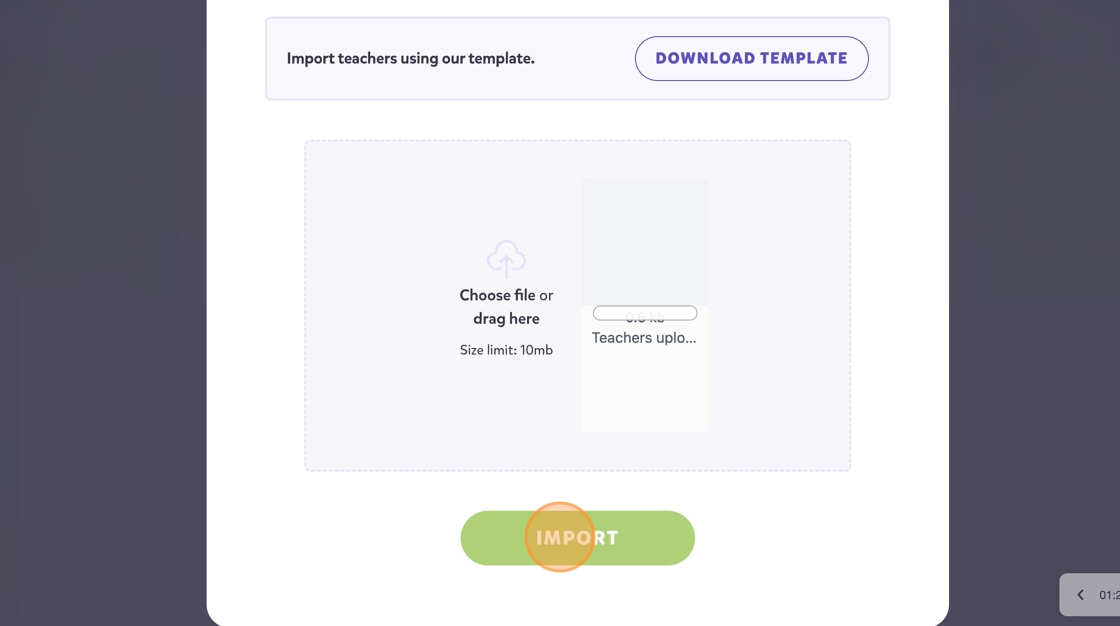
10. Go back to your Journey2Jannah and click 'Choose file or drag here'

11. Click "IMPORT"
12. This will import the teachers you included. Click "CLOSE" and this will be complete.