Where can I find my invoice?
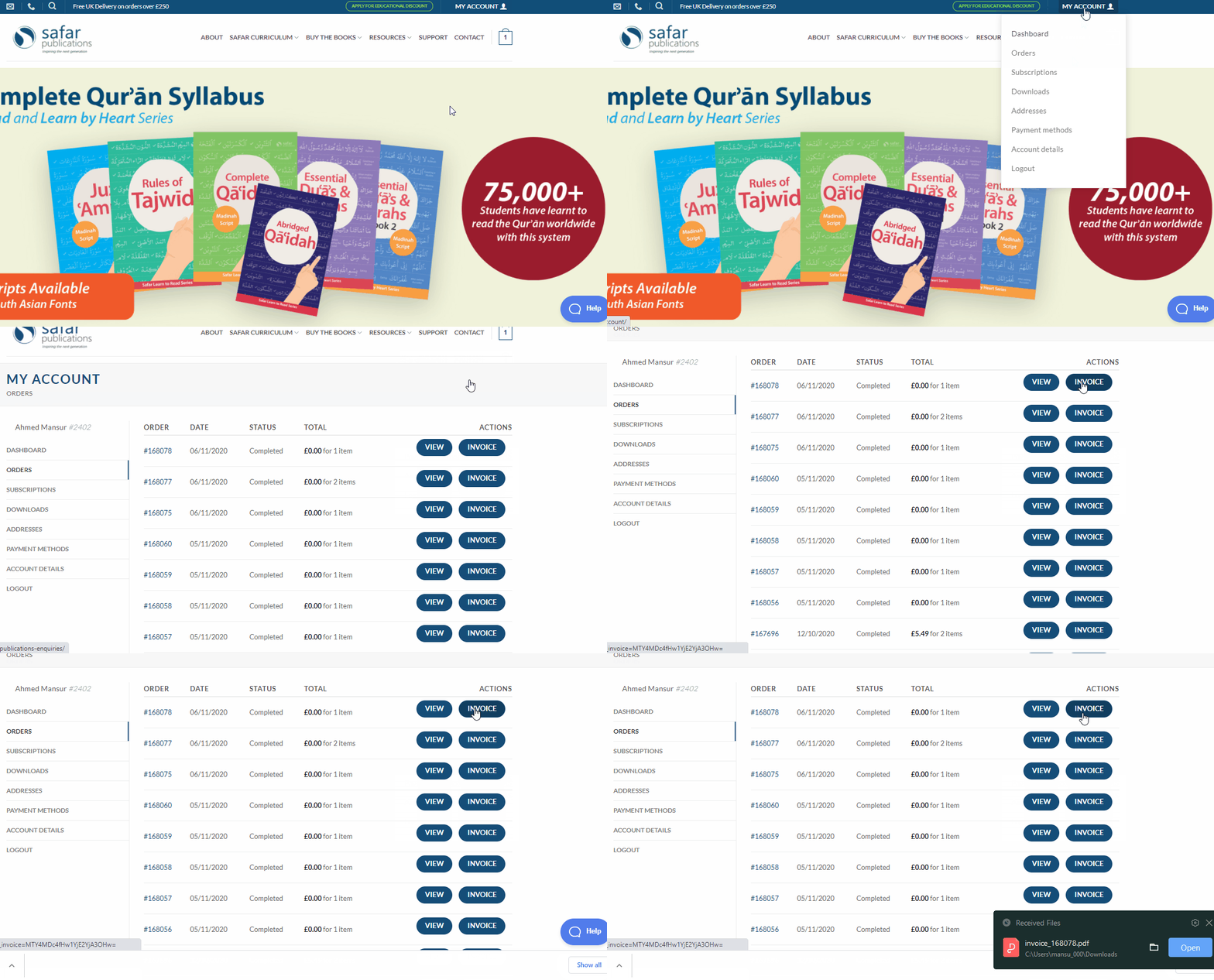
After logging into your Safar Publications account, your invoice can be found in the "My Account> Orders" section on the top right of each page. Simply click on "INVOICE" to download your invoice.
We understand some organisations require a proforma invoice to be approved before making the payment. In this case, please place your order via the Bank transfer payment method and download it from your account as mentioned above.
Please click here for more info on how to place an order via ban transfer.
Please note: downloadable invoices may not be available for previous orders as this feature may not have been available at the time.