Support: Rotating your Mobile Device
This article shows you how to avoid issues when viewing Journey2Jannah content on your mobile device. Please see this video for further support.
1. Navigate to my.journey2jannah.com
2. Once you've logged in to your account and are on the content, it will show the image about rotating your device. You will need to rotate it to view the videos and all the content that comes with the courses.

3. Please ensure you have the auto lock off; this is the icon on an iPhone.
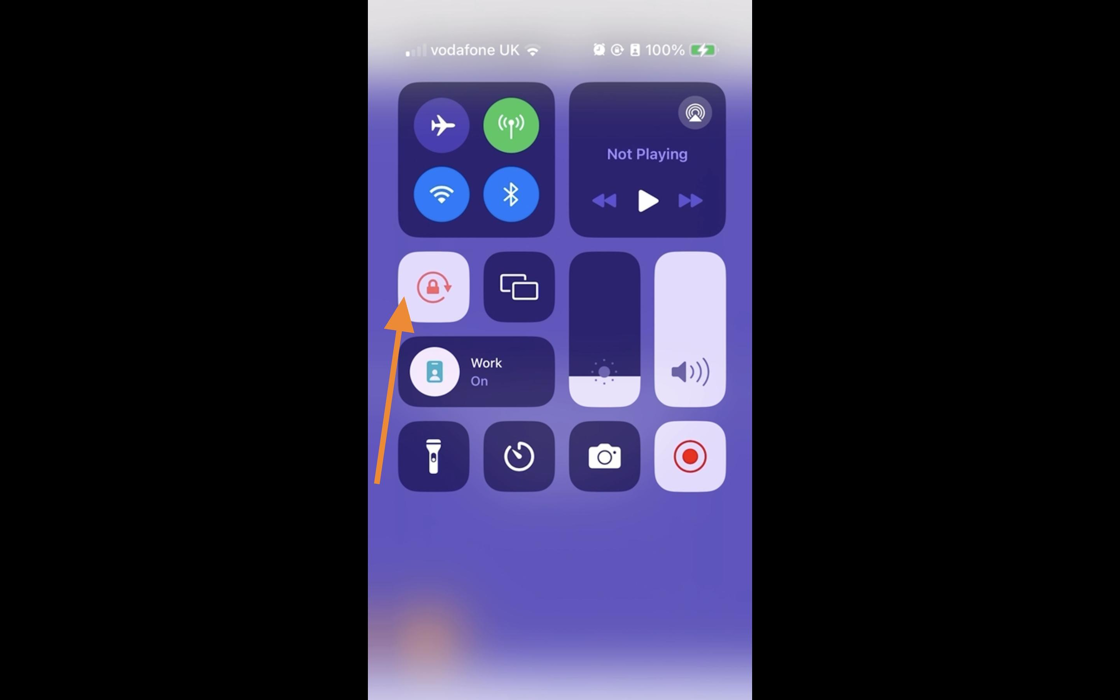
4. Please ensure you have the 'Portrait' off; this is the icon on an Android.

5. This will allow you to see the content and review the lessons.