Set-Up: How to Initially Login as a Child
Tip: This article will show you how the child can initially logon to Journey2Jannah. You can watch this video too.
1. Navigate to https://my.journey2jannah.com/login/
2. Click the "Username or email address" field. Enter the username you created for the child.
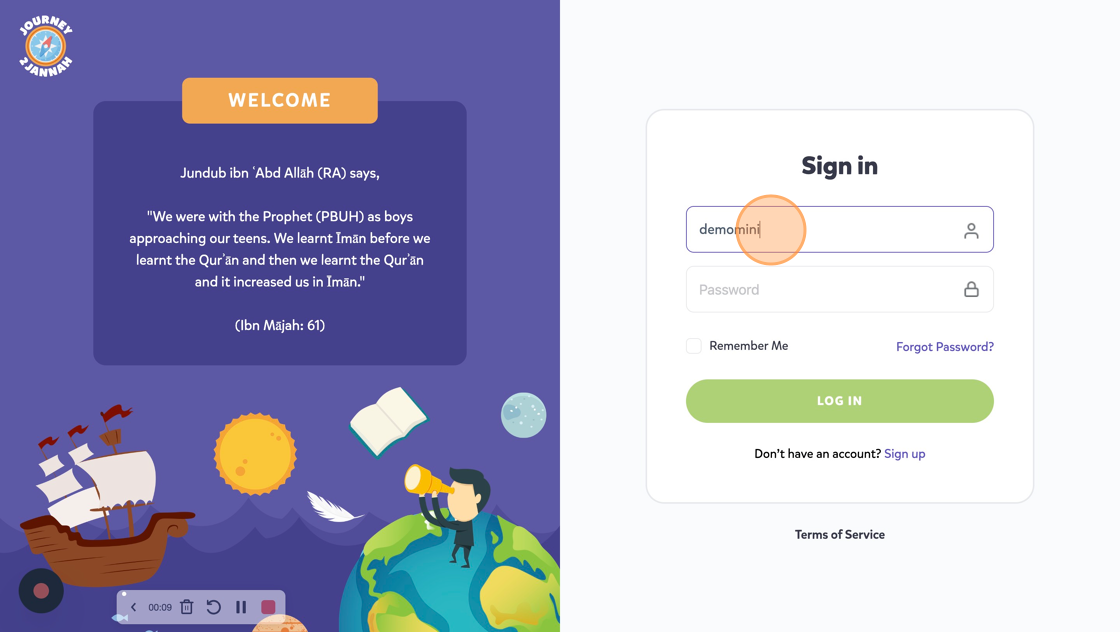
3. Enter the password you set for the child and then click on 'Log In'.

4. It will ask you to choose a skin colour and then click "HAIRSTYLE"

5. Choose the hairstyle you like and then click "HAIR COLOR"

6. You can choose the hair colour and then click on 'Select'

7. This will show you the child's dashboard where he can now do his learning.