Set-Up: How to get your Account Information
This is an article to show you how to get your account information. Please see this video for further support.
1. Navigate to https://my.journey2jannah.com/manage-family/
2. Click on your username on the top right hand corner.

3. Click "Account"
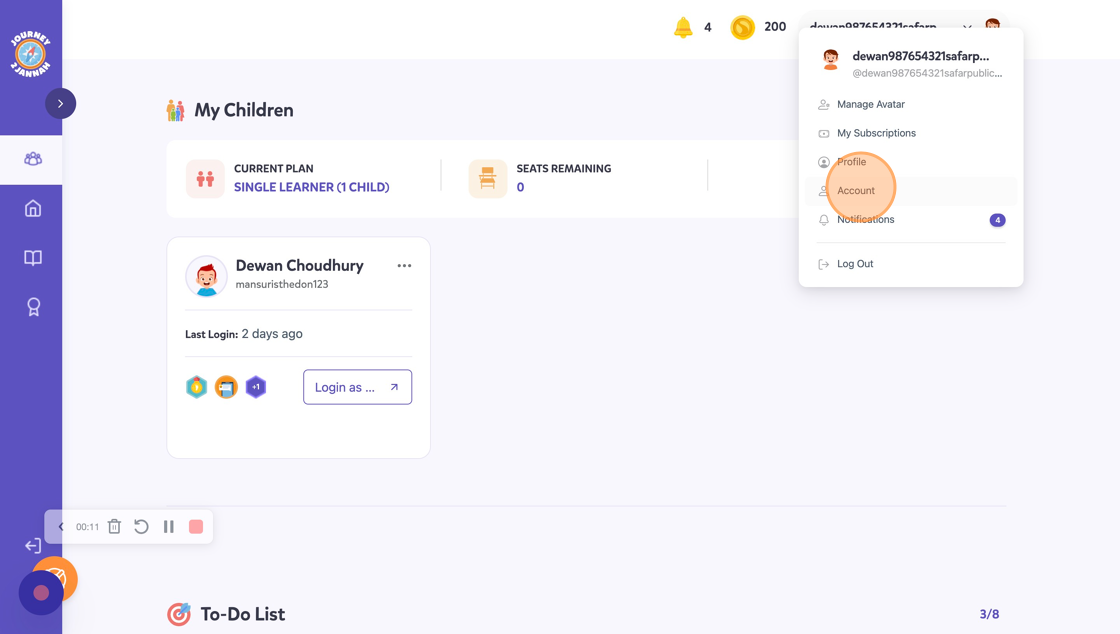
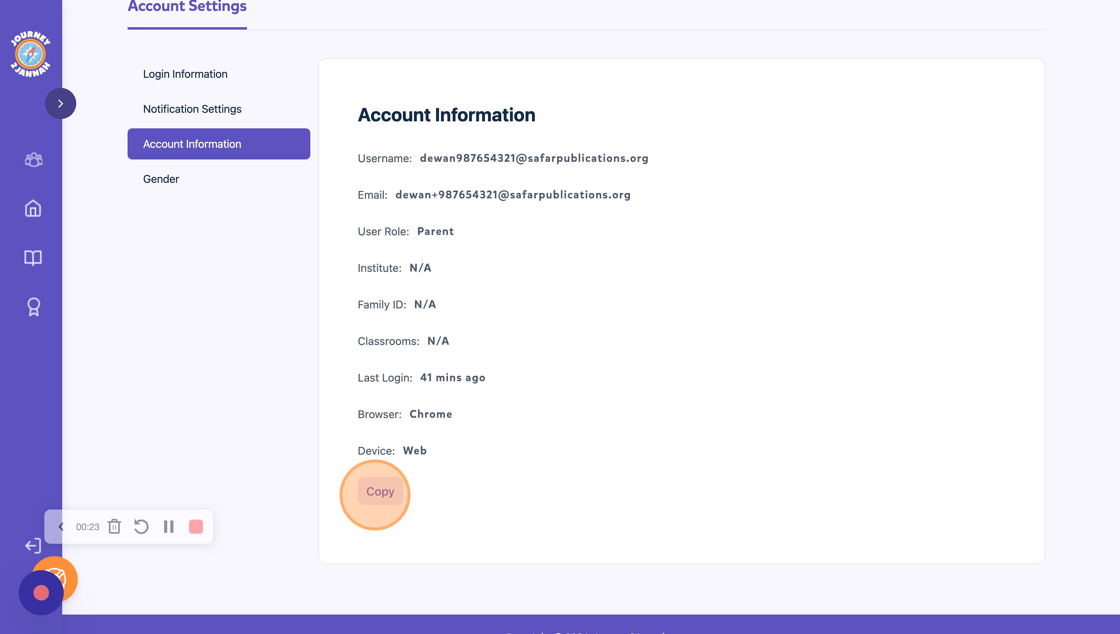
4. Click "Account Information"

5. This will give you the details for your account. Click "Copy" if you'd like to share this with us.
6. If you have any questions then you can email us: learning@safarpublications.org